Pocket Camera Magnetic Mount: Useful Setup Tool or Drawer Clutter?
Quick Answer
A small camera setup is usually easiest after the shot angle, working distance, and recording routine are tested with the camera handheld or on a stable surface. A quick-release magnetic mount helps when the same compact camera must move repeatedly between handheld use and a fixed desk or tabletop position. Skip it if the exact camera interface is uncertain, the surface is unstable, or an ordinary tripod already holds the shot safely.
- Try first: Mark the useful camera position and test it with existing support for several recordings.
- Consider one when: The same compact camera repeatedly moves between handheld and fixed shots.
- Skip if: Compatibility, retention, base stability, or accessory clearance cannot be confirmed.
What Is Actually Causing the Problem
Camera friction often comes from the routine around the shot rather than the lack of a mount. A lens sits too low behind a laptop, a tripod blocks the keyboard, a cable pulls the camera off angle, or the setup takes long enough that a quick clip is never recorded.
Recreate one real recording before choosing hardware. Place the camera where the lens reaches eye level, check what appears behind you, connect any microphone or charging cable, and move your hands through the working area. If the useful position changes every time, a fixed base may not help. If the position stays the same but attaching the camera is the annoying step, quick release becomes more valuable.
- Angle problem: The camera is too low, too high, or aimed from the wrong side.
- Space problem: A stand, base, or cable blocks the keyboard, controls, or movement area.
- Changeover problem: The camera must switch between handheld filming and a repeatable fixed shot.
- Stability problem: A light base, soft surface, or pulled cable allows the camera to tip or rotate.
Free Fixes to Try First
- Define one shot. Choose the exact framing, distance, and height you use most.
- Test existing support. Use a small tripod, shelf, or stable surface for several normal sessions.
- Mark the position. A small removable mark shows whether repeatable placement really saves time.
- Connect every cable. Check charging, microphones, and other accessories before judging clearance.
- Move through the routine. Practice taking the camera away and returning it without disturbing nearby gear.
- Check the fall path. Keep the camera away from desk edges and anything that could be struck if the mount releases.
Try before buying: If a small tripod or stable shelf keeps the camera ready without slowing the routine, use it. Quick release matters only when attaching and removing the camera is the repeated bottleneck.
What to Try in Each Situation
You record from one fixed desk angle
- Start here: Mark the spot and use an existing tripod
- Product decision: No new mount may be needed
- Check before deciding: Height and cable clearance
The camera moves between shots
- Start here: Practice the full changeover
- Product decision: Quick release may save time
- Check before deciding: Retention and exact interface
The desk surface shakes
- Start here: Move support to a stable surface
- Product decision: A different base may help
- Check before deciding: Footprint, weight, and grip
Cables pull the camera sideways
- Start here: Reroute and add slack
- Product decision: No mount fixes cable tension
- Check before deciding: Port access and strain relief
The Point Where Gear Becomes Useful
A magnetic quick-release mount becomes useful when the camera has one repeatable fixed position but still needs to return to handheld use often. A good mount shortens that change without requiring the base, cable route, and framing to be rebuilt each time.
The example below is presented as a magnetic expansion mount and desktop base for a compact DJI camera. It should be treated as a fit-dependent accessory. The important questions are how it attaches to the exact camera, what prevents rotation or accidental release, and whether the base remains stable with cables connected.
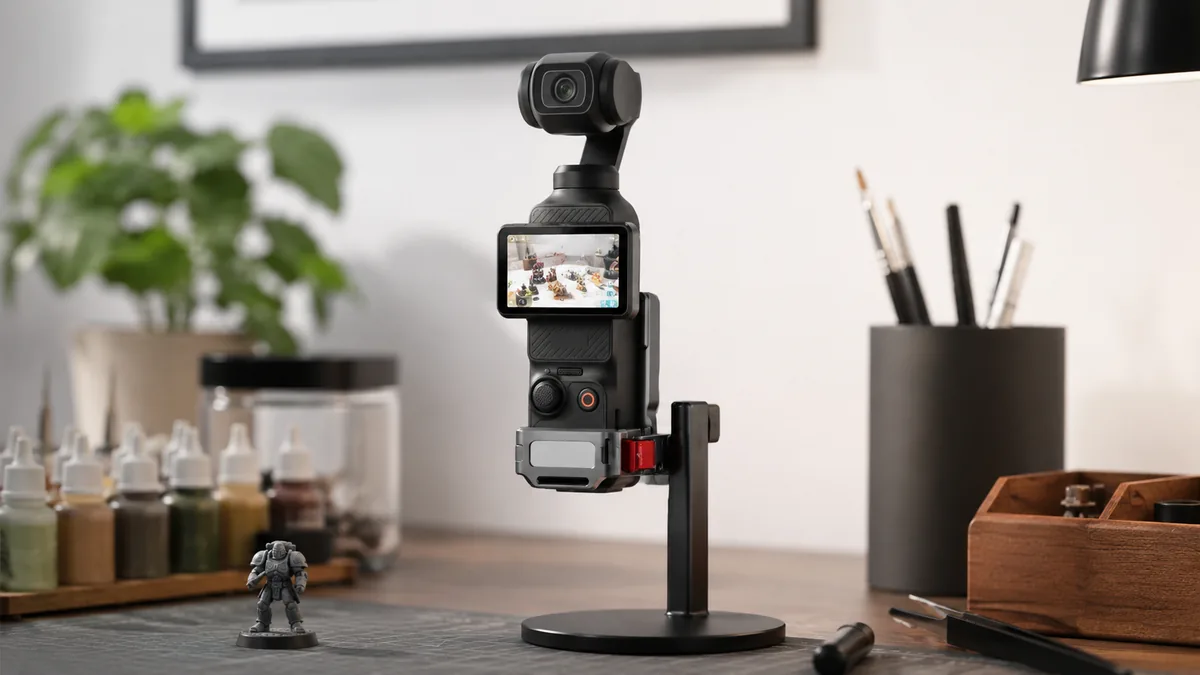
The single AliExpress listing below is one example of this tool type, not a best pick or a hands-on recommendation. Use it only as a reference, and verify the current specifications, compatibility, recent reviews, shipping, returns, and price yourself.
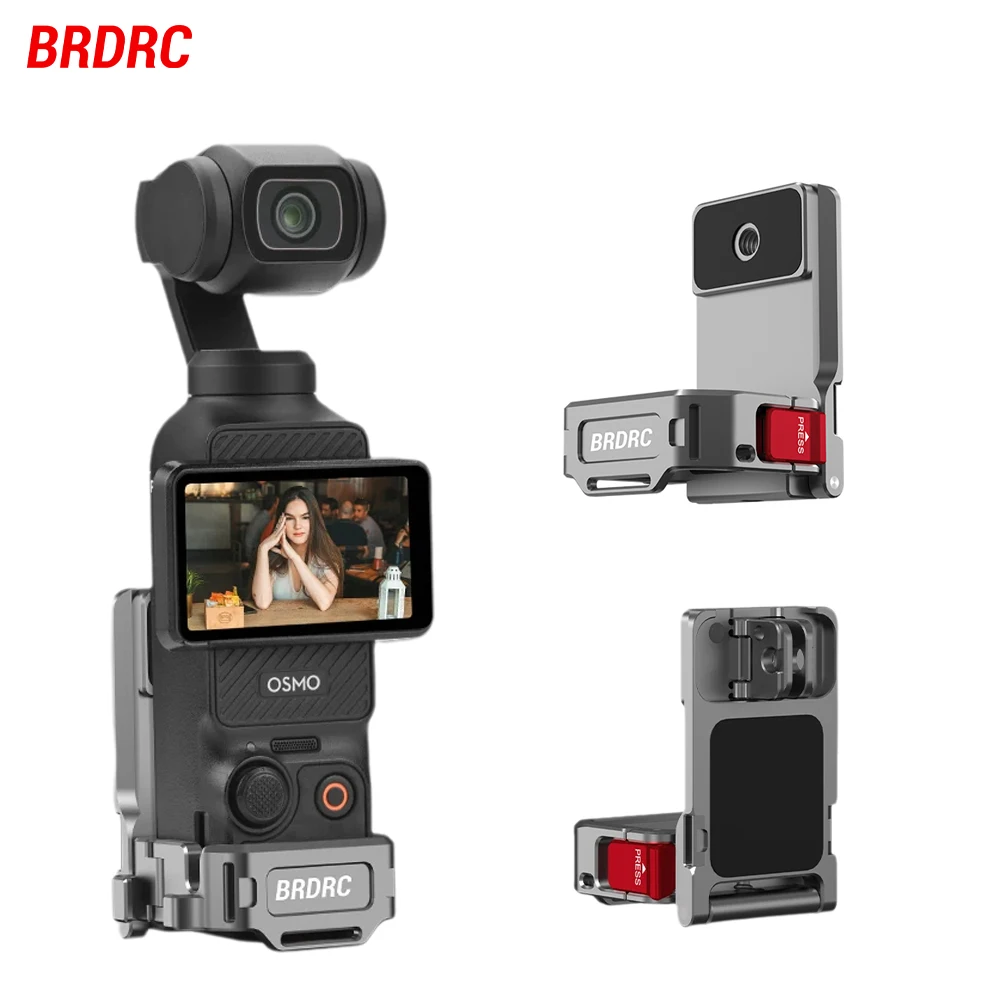
Skip the product if: The exact camera model and attachment interface are not clearly shown, the base would sit near an edge, or your current tripod already supports the complete shooting routine.
Verify These Details First
This listing presents the accessory as a magnetic quick-release mount, holder, stand, and desktop base. Those roles require different kinds of support, so match the selected option to the one position you actually need.
- Exact camera fit: Compare the camera model, attachment point, orientation, and any case or expansion frame already installed.
- Retention method: Look for a mechanical alignment or lock in addition to magnetic attraction, especially around movement.
- Base stability: Check the footprint, contact material, and how far the camera’s weight sits from the center.
- Port clearance: Charging, microphone, memory-card, and control access should remain usable in the intended orientation.
- Rotation control: The camera should not twist when a cable moves or a button is pressed.
- Included pieces: Confirm which base, adapter, plate, screws, or tools come with the exact option selected.
If the page combines several accessories under one listing, use the option image and included-parts list together before ordering.
Mistakes That Make This Harder
- Buying before fixing the shot. Quick release cannot rescue a camera angle that changes every session.
- Assuming magnet means universal fit. The camera still needs the matching interface and correct orientation.
- Testing without cables. A charging or microphone cable can change balance and block movement.
- Placing a light base near an edge. One tug can turn a convenient setup into a fall.
- Adding several mounts at once. One proven position is easier to use and troubleshoot than a collection of unused adapters.
Quick Questions
When is a magnetic camera mount worth adding?
It is worth considering when the camera repeatedly switches between handheld use and the same stable fixed position. The time saved should come from a proven routine, not from collecting more attachment options.
Who should skip a quick-release camera base?
Skip it if exact compatibility is unclear, the shooting surface is unstable, cables pull on the camera, or an existing tripod already keeps the full setup ready. Safety and repeatability matter more than speed.
Is a magnetic connection alone enough?
That depends on the design and use. For a valuable camera, look for clear alignment, anti-rotation features, and a secure retention method suited to the intended position. Avoid relying on a vague magnetic-strength claim.
Affiliate Disclosure
This article includes one affiliate listing as an optional example. GadgetPickLab may earn a commission at no extra cost if you buy through the link. The mount has not been presented as universally compatible or hands-on tested; verify the exact camera interface and safe placement.