How to Light a Small Desk Without Losing Workspace
Quick Answer
To solve keeping a desk light from taking up too much workspace, move the light off the desktop or make it work above it: use a clamp lamp, wall-mounted light, or a monitor light bar, then aim the beam at the task area. The best compact setup keeps the base, cord, and shadow zone out of your work surface so your small desk stays usable.
Who This Is For
This guide is for anyone working from a minimal home office, a compact desk, or a shared surface where every inch matters. It is especially useful if your current desk lamp crowds a keyboard, notebook, drawing pad, or laptop stand.
If you want better lighting without sacrificing workspace, the goal is not just brightness. It is using a setup that fits the desk layout, supports the task, and stays out of the way.
Why This Problem Happens
Desk lights take up workspace when the base is too large, the lamp sits too low, or the light creates glare that forces you to reposition it. On small desks, even a good lamp can become a problem if it occupies the same area as your daily tools.
The issue is usually a layout problem, not a lighting problem. A compact desk needs vertical or edge-mounted lighting so the work surface remains open.
Step-by-Step Solution
Use this checklist-style sequence to reduce desk clutter while improving light quality:
- Step 1: Identify the main task zone on your desk, such as keyboard, notebook, or drawing space.
- Step 2: Measure the area your lamp base currently occupies, including cord slack and reach.
- Step 3: Move the light source upward or outward using a clamp, wall mount, shelf edge, or monitor light bar.
- Step 4: Aim light at the task zone, not at your eyes or the center of the desk.
- Step 5: Test for shadows, glare, and screen reflections, then adjust angle and height.
- Step 6: Keep only one lighting footprint on the desk surface, or none if an edge-mounted option works.
A practical setup for a small home office is to pair ambient room light with a focused task light that does not sit in the work zone. A monitor light bar can be a strong choice when the desk is shallow, because it lights the surface from above without using much desktop area.
If you prefer a traditional lamp, choose one with a narrow base and a flexible arm so the light head can reach over the workspace. The most space-efficient solution is the one that leaves your primary work area open and easy to reorganize.
Useful Product Types to Consider
Below are a few product types that may help with this setup. Choose only what fits your desk size and daily routine.

USB-Powered Eye Care Monitor Light Bar Stepless Dimming for Home Office Study Desk Gaming Setup
Price: 8.93

Monitor Light Bar, LED Desk Lamp Dimmable Computer Lamp Eye-Caring Lamp USB Reading Light Backlight Screen Light Bar-AB…
Price: 12.89
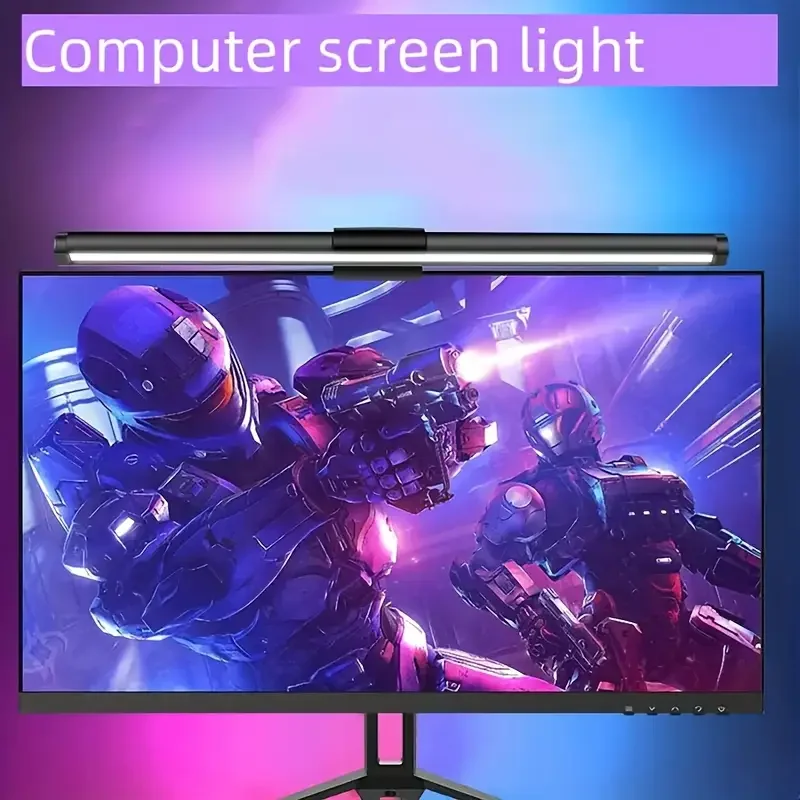
40CM RGB Atmosphere Table Lamp Computer Screen Hanging Lights for Work Study Read Gaming Stepless Dimmable Monitor Ligh…
Price: 8.08
- Monitor light bar: Mounts to a screen and casts light onto the desk without using a lamp base.
- Clamp desk lamp: Attaches to the desk edge, keeping the footprint off the surface.
- Wall-mounted or shelf-mounted task light: Frees the desk completely when installation is possible.
- Small-base adjustable lamp: Useful when you still need a portable light but want a smaller footprint.
- Under-shelf light: Helps illuminate a compact workstation from above with minimal visible clutter.
Common Mistakes
Using a lamp with a wide base: It may be stable, but it often wastes the same space you need for papers, devices, or a notebook.
Placing the light in the center of the desk: This usually creates clutter and makes the workspace feel smaller than it is.
Ignoring glare and shadows: A poor angle can force constant adjustments, which defeats the purpose of a compact setup.
Choosing brightness without layout planning: A brighter lamp is not automatically better if it still blocks the desk.
Forgetting cable management: Even a compact light can create clutter if the cord crosses the main work zone.
FAQ
What is the best way of keeping a desk light from taking up too much workspace?
The best approach is to move the light off the desktop using a clamp, wall mount, shelf mount, or monitor light bar. That keeps the work surface clear while still lighting the desk effectively.
Is a monitor light bar good for a small desk?
Yes. A monitor light bar is often a strong fit for compact desks because it provides task lighting without using a lamp base on the desk surface.
How do I know if my desk light is taking up too much space?
If you keep moving it aside to write, type, or use a notebook, or if the base blocks your daily setup, it is taking up too much workspace. A compact lighting solution should support the task, not compete with it.
What should I prioritize: brightness or footprint?
Prioritize the footprint first, then choose brightness and angle. In a minimal home office, a smaller lighting footprint often improves usability more than a larger lamp with extra brightness.
Affiliate Disclosure Note
Some articles may mention product types or categories that can be purchased through affiliate programs. Any such references are meant to help readers understand common setup options, not to pressure a purchase.