Magnetic Cable Holder: Will It Keep Desk Cables from Falling?
Quick Answer
Loose charging cables are usually easier to manage after unused leads are removed, the power source is moved closer, and each cable is routed along a stable edge. A magnetic cable holder becomes useful when the same working cable repeatedly slides behind the desk but still needs to detach often. Skip it when the cable rarely moves or the desktop surface will not hold adhesive safely.
- Try first: Shorten the cable path and secure one lead temporarily with a binder clip or removable tape.
- Consider one when: A cable falls out of reach several times a week and must still be picked up quickly.
- Skip if: The real issue is an overly short cable, a loose charging port, or too many unused leads.
What Is Actually Causing the Problem
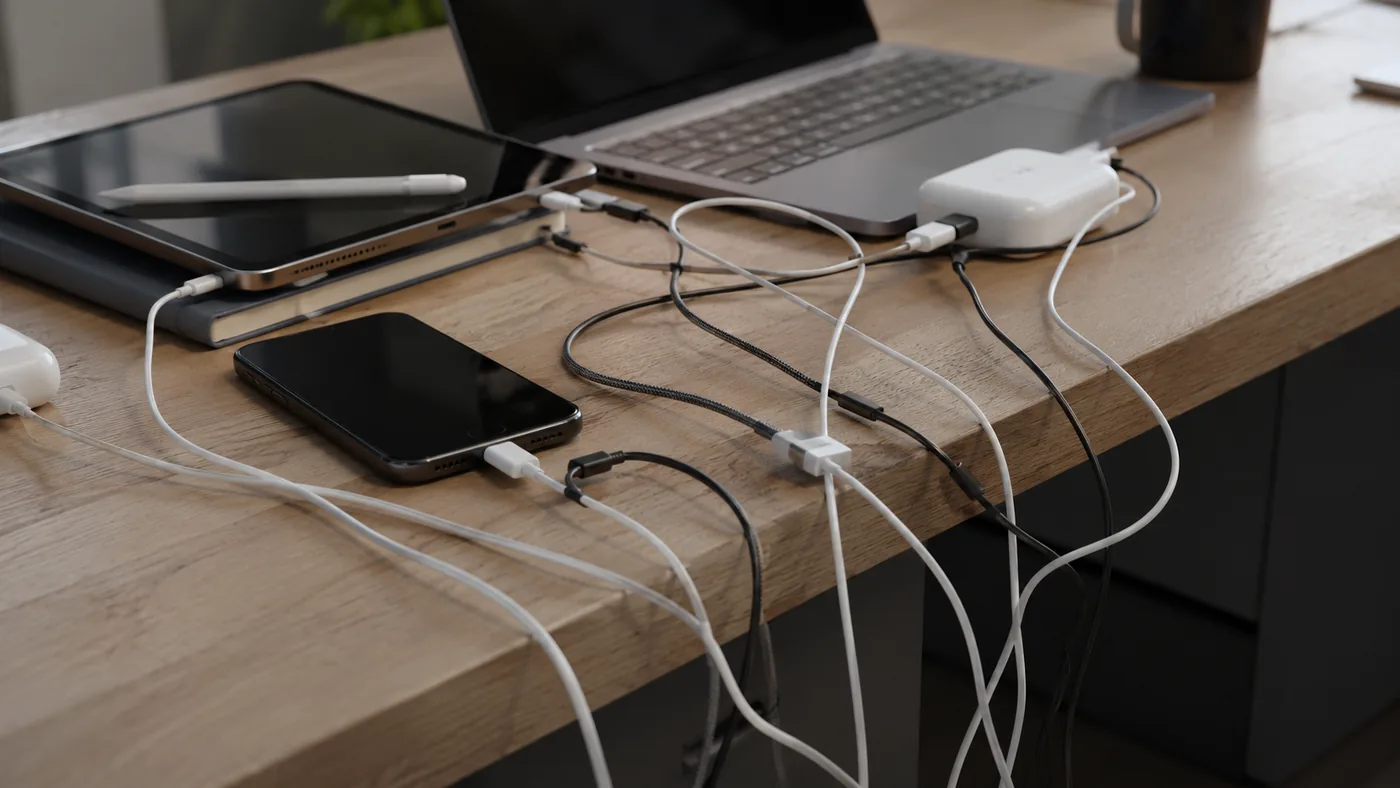
A cable on the floor is only the visible symptom. The cause is usually reach, weight, friction, or an overfilled charging area, and each cause needs a different fix.
- Poor reach: The connector barely reaches the device, so normal movement pulls it away from the desk.
- Heavy cable end: A thick connector or adapter drags the lead downward whenever it is unplugged.
- Crowded route: Several cables cross the same edge and push one another out of place.
- Wrong surface: Dust, texture, heat, or frequent cleaning makes adhesive accessories unreliable.
Watch the cable through one normal work session. If it stays put after the route is changed, another desk accessory is unnecessary.
Free Fixes to Try First
- Remove cables that are not used during a normal week.
- Move the charger or power strip so the working lead has relaxed slack.
- Route the cable beside the device instead of across a keyboard or drawer.
- Test the holding point with a removable clip for one full day.
- Mark the place where the connector remains reachable without bending sharply.
Try before buying: A binder clip, reusable tie, or existing cable sleeve is enough when the lead does not need frequent one-handed release.
A Practical Decision Check
One cable rarely moves
- Start here: Tie it to the existing route
- Product decision: Usually unnecessary
- Check before deciding: No sharp bend at the connector
Cable drops after every unplug
- Start here: Test a temporary edge clip
- Product decision: A quick-release holder may help
- Check before deciding: Cable diameter and grip
Several leads cross
- Start here: Separate charging zones
- Product decision: One holder per active cable
- Check before deciding: Spacing and adhesive area
Standing desk changes height
- Start here: Leave a safe slack loop
- Product decision: Only if it moves with the desk
- Check before deciding: Full travel without pulling
Where One Gadget Can Help
The useful threshold is repeated interruption: the connector falls out of reach often enough that you stop what you are doing to retrieve it. At that point, a magnetic cable holder can create a repeatable parking spot while allowing the lead to detach for use.
The listing used here is one compact desktop example, not proof that every cable will fit. Its value depends more on the cable channel, magnetic retention, adhesive surface, and chosen position than on the number of pieces shown in a product photo.
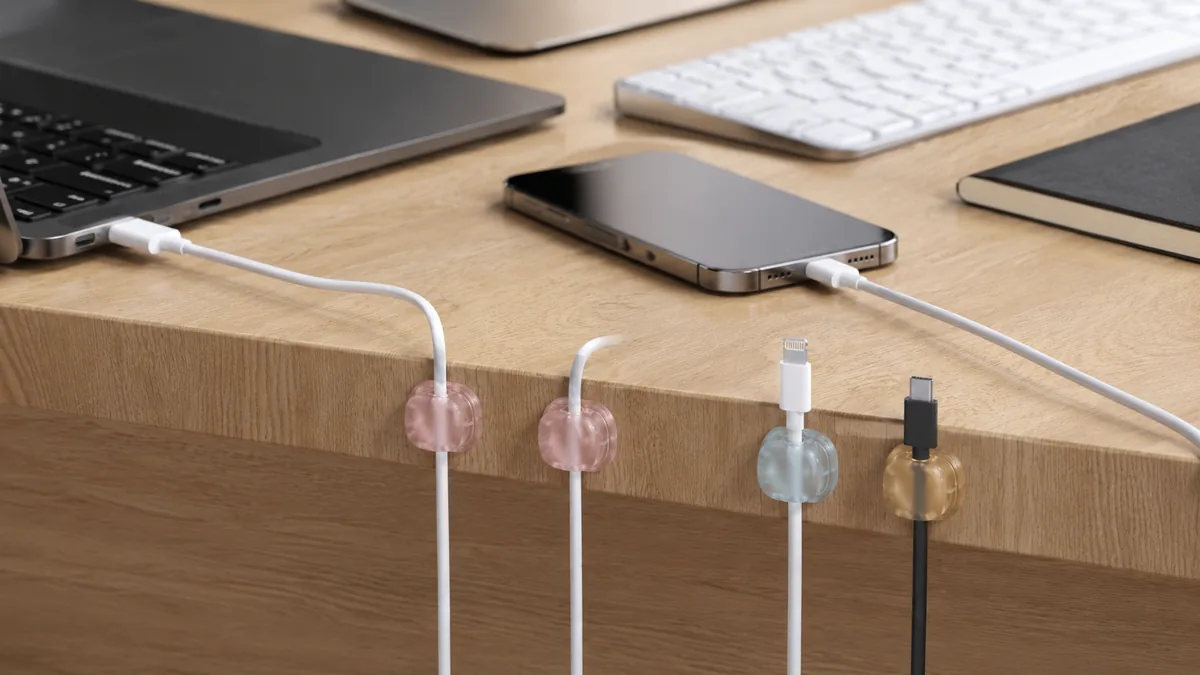
The single AliExpress listing below is one example of this tool type, not a best pick or a hands-on recommendation. Use it only as a reference, and verify the current specifications, compatibility, recent reviews, shipping, returns, and price yourself.

Skip the product if: a free clip already keeps the connector reachable, the cable is too thick for the channel, or adhesive could damage the finish.
Checks Before You Order
A small holder seems simple, but small dimensional differences decide whether it becomes useful or ends up loose in a drawer.
- Cable fit: Compare the slot with the thickest cable you plan to park, including any braided covering.
- Release force: The cable should lift out without pulling the holder off the desk.
- Adhesive surface: Smooth, clean surfaces usually give adhesive a better chance than dusty or textured ones.
- Placement: Keep the holder clear of vents, ports, drawer travel, and the hand path to the device.
- Piece count: Buy only enough positions for cables that are actually used, not every lead you own.
If the listing does not show cable-slot dimensions or the mounting surface, wait until you can confirm fit.
What to Avoid
- Mounting before testing reach. A neat position is useless if the connector cannot reach the device comfortably.
- Packing every cable together. Crowding recreates the tangle around a smaller object.
- Ignoring surface preparation. Oil and dust weaken adhesive before normal use begins.
- Forcing a thick cable. A tight channel can stress the sheath or lift the holder.
- Treating placement as permanent. Test with removable tape before committing to the final spot.
Practical FAQ
When is a magnetic cable holder worth adding?
Add one when a frequently used lead repeatedly falls out of reach even after the charger and cable route are improved.
Who should skip a desktop cable holder?
Skip it if cables stay connected most of the time, an existing clip works, or the surface cannot accept adhesive.
Will one holder fit every charging cable?
No. Connector weight, cable diameter, braid thickness, and slot shape vary, so compare measurements instead of assuming universal fit.
Affiliate Disclosure
This article includes one affiliate listing as an optional example. GadgetPickLab may earn a commission at no extra cost if you buy through the link. The holder is presented as one possible cable-parking tool, not as a required desk upgrade.