Indoor Temperature and Humidity Monitor: What to Check Before Placing One
Quick Answer
When a room feels stuffy, dry, or uncomfortable, first move heat sources, open or close ventilation as appropriate, and compare how the room feels at different times of day. A temperature and humidity monitor helps when you need a simple record of changing conditions rather than another guess. Skip it if you expect one small display to diagnose mold, guarantee comfort, or control the room by itself.
- Try first: Note the time, weather, ventilation, and activities when the room feels uncomfortable.
- Consider one when: You need repeatable temperature and humidity readings from the same location.
- Skip if: You need certified measurements, remote alerts, or automatic heating and humidity control.
Why This Keeps Happening
Comfort changes for more reasons than the thermostat suggests. Direct sun warms one wall, cooking and showers add moisture, heating dries the air, and a closed bedroom can feel stuffy even when the temperature looks normal. A single reading becomes useful only when it is connected to the room and the routine around it.
Choose the question before choosing the monitor. Are mornings unusually dry? Does humidity stay high after a shower? Does a nursery or office overheat in afternoon sun? If the issue is visible water damage, a persistent musty smell, breathing symptoms, or suspected mold, a consumer display is not a diagnosis and professional inspection may be appropriate.
- Temperature pattern: The room swings between cool mornings and hot afternoons.
- Humidity pattern: Moisture rises after cooking, bathing, drying laundry, or closing windows.
- Placement problem: A reading near a window, vent, heater, or sunny wall does not represent the room.
- Expectation problem: The display is being treated as a controller or health instrument rather than a simple indicator.
Free Fixes to Try First
- Name the room and symptom. Record whether it feels hot, cold, damp, dry, or simply stale.
- Move obvious sources. Shift heaters, wet laundry, humidifiers, and warm electronics away from the area.
- Test ventilation. Compare the room before and after opening a door, using an exhaust fan, or changing airflow.
- Check the existing thermostat. Note whether its location explains why the room feels different from the displayed temperature.
- Keep a short log. Write down conditions at morning, afternoon, and evening for several days.
Try before buying: A simple time-and-condition log often reveals that sunlight, showers, cooking, or a closed door is causing the pattern. Fix that routine first if the cause is already clear.
What to Try in Each Situation
The room heats in afternoon sun
- Start here: Shade the window and move the desk
- Product decision: Usually no monitor needed
- Check before deciding: Sun exposure and timing
A bathroom stays damp after use
- Start here: Run ventilation and leave the door open
- Product decision: A monitor can show the recovery pattern
- Check before deciding: Placement outside direct steam
Heating makes a bedroom feel dry
- Start here: Reduce direct heat and track symptoms
- Product decision: A humidity reading adds context
- Check before deciding: Sensor consistency and location
You need remote warnings or records
- Start here: Define the alert and logging need
- Product decision: A basic display may be insufficient
- Check before deciding: App, history, and notification support
When Adding One Tool Makes Sense
A small temperature and humidity monitor becomes useful when the same room feels different across the day and you want a consistent reference point. The value is not the first number on the screen; it is noticing how the reading changes after ventilation, heating, a shower, cooking, or a weather shift.
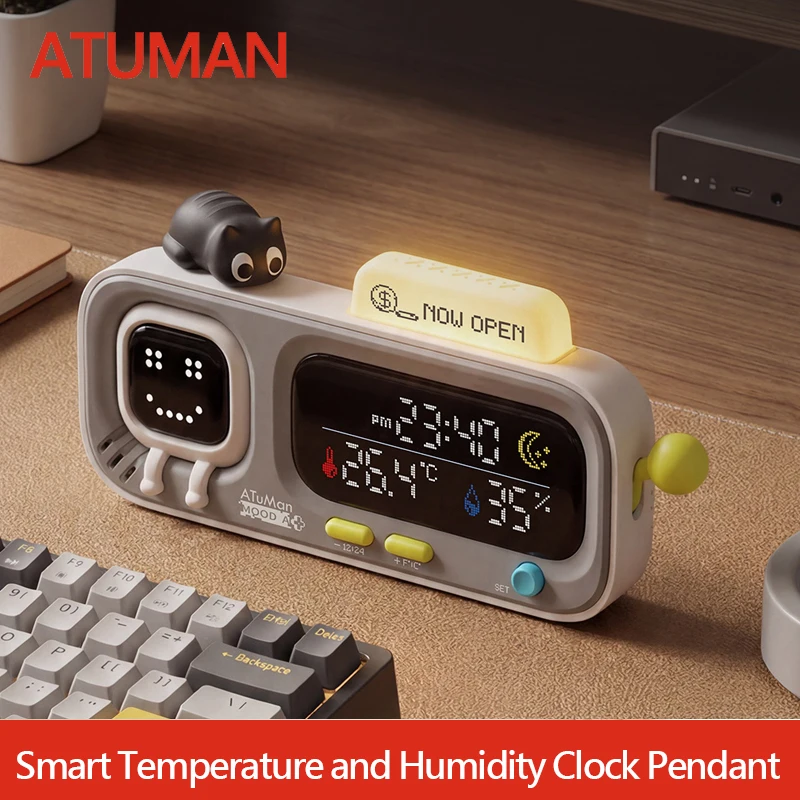
The example below combines a desktop display with clock and reminder-style features. Treat those extras as conveniences. For room decisions, readable temperature and humidity, stable placement, and consistent behavior matter more than a decorative interface.
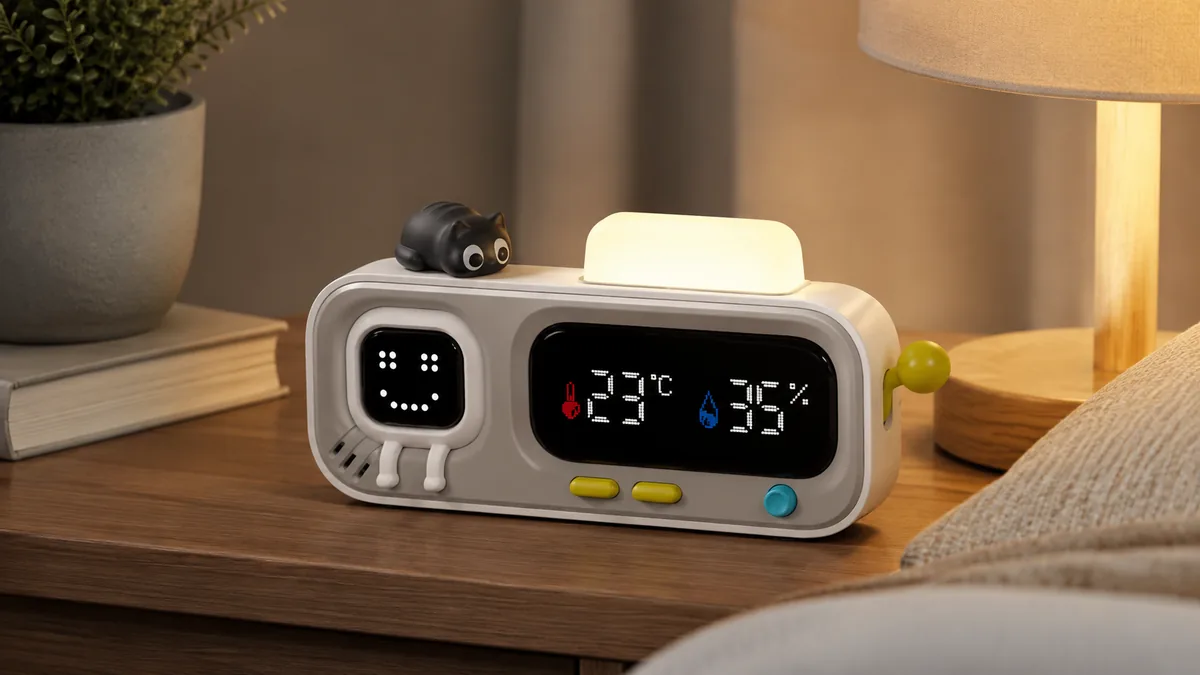
The single AliExpress listing below is one example of this tool type, not a best pick or a hands-on recommendation. Use it only as a reference, and verify the current specifications, compatibility, recent reviews, shipping, returns, and price yourself.
Skip the product if: You need certified accuracy, automatic control, remote alerts, or proof of a health or building problem. A basic desktop display cannot provide those conclusions.
Buying Checks That Prevent Regret
This model is presented as a desktop temperature and humidity display with clock and reminder functions. Decide first whether you want a glanceable room indicator or a connected sensor with records and alerts; they are not the same tool.
- Measurement range: The stated temperature and humidity ranges should cover normal indoor conditions where it will be used.
- Accuracy claim: Look for separate temperature and humidity tolerances instead of assuming every digit is equally reliable.
- Update behavior: A useful room display should change often enough to show ventilation and moisture recovery without appearing frozen.
- Power: Check whether it uses replaceable batteries, rechargeable power, or a permanent cable and how that affects placement.
- Display readability: Numbers should be clear from the normal viewing distance without a bright screen becoming distracting at night.
- Clock and reminders: Confirm how time is set, whether alarms can be disabled, and whether those controls are understandable.
Place the monitor away from direct sun, vents, heaters, exterior doors, windows, and steam. A well-placed modest sensor is more useful than a feature-rich display sitting in the wrong spot.
What to Avoid
- Reading it immediately after moving it. Give the sensor time to settle into the new location.
- Placing it beside a source. A heater, humidifier, vent, or sunny window can dominate the number.
- Reacting to one reading. Patterns across several times and days are more useful than a single moment.
- Treating displayed precision as proof of accuracy. Extra decimal places do not automatically mean a better sensor.
- Expecting the monitor to fix the room. It shows conditions; ventilation, shading, heating, or moisture control changes them.
Practical FAQ
When is an indoor temperature and humidity monitor worth adding?
It is worth considering when the same room repeatedly feels different and you want to compare conditions before and after a routine change. It is most useful as a consistent reference in one sensible location.
Who should skip a basic desktop monitor?
Skip it if you need certified measurements, remote alerts, long-term data logs, or automatic control of a heater, fan, or humidifier. Choose a tool designed for those requirements instead.
Where should the monitor be placed?
Use a stable indoor surface away from direct sun, windows, doors, vents, heaters, humidifiers, and steam. Place it near the area people actually occupy, then leave it there long enough to compare patterns.
Affiliate Disclosure
This article includes one affiliate listing as an optional example. GadgetPickLab may earn a commission at no extra cost if you buy through the link. The display is discussed as a general room indicator, not as a certified health, mold, or building-diagnostic instrument.