Portable Laptop Riser for Back-to-School: Will It Fit Your Laptop?
Quick Answer
A laptop that feels too low should first be moved closer, centered with the chair, and tested with a stable temporary lift. A portable laptop riser helps when a small height or angle change consistently improves the screen position and the laptop still has safe ventilation. Skip it if raising the computer makes typing unstable or creates a need for extra accessories you will not carry.
- Try first: Test the height with a firm book or existing stand while keeping every vent clear.
- Consider one when: You work in changing locations and a slight repeatable lift improves posture or airflow.
- Skip if: The laptop wobbles, the base blocks vents, or comfortable use would require a separate keyboard you do not want.
What Is Actually Causing the Problem
Neck strain at a small desk is not always a stand problem. Chair height, viewing distance, glare, keyboard reach, and the amount of time spent looking down all affect the setup.
- Screen too low: The eyes drop sharply even when the chair is adjusted.
- Laptop too far away: Small text encourages leaning forward instead of changing zoom or distance.
- Keyboard conflict: A higher screen also raises the built-in keyboard and can bend the wrists.
- Blocked airflow: Soft surfaces or poorly placed supports cover the underside vents.
Change one variable at a time. If zoom, chair position, and a temporary lift solve the problem, you know the useful height before buying anything.
What to Change Before Adding Gear
- Center the laptop with the chair and main working position.
- Increase text size before moving the screen closer to your face.
- Adjust chair height while keeping feet supported.
- Raise the rear edge temporarily without covering vents.
- Type for twenty minutes and watch for wrist pressure or wobble.
Try before buying: A stable existing stand or a firm temporary support is enough when the laptop stays in one place and the tested height works.
What to Try in Each Situation
Occasional short session
- Start here: Adjust chair and zoom
- Product decision: Usually no
- Check before deciding: Comfort after 20 minutes
Laptop moves daily
- Start here: Measure the useful lift
- Product decision: A folding riser may help
- Check before deciding: Folded size and stability
Heavy typing on laptop
- Start here: Test wrist angle
- Product decision: Only with a low stable lift
- Check before deciding: Wobble and keyboard height
Vents sit underneath
- Start here: Map vent locations
- Product decision: Only with clear support points
- Check before deciding: Cooling clearance
The Point Where Gear Becomes Useful
A portable riser becomes reasonable when the same tested angle works in several places and carrying a full stand is impractical. Small folding supports can provide that repeatable lift without occupying an entire bag compartment.
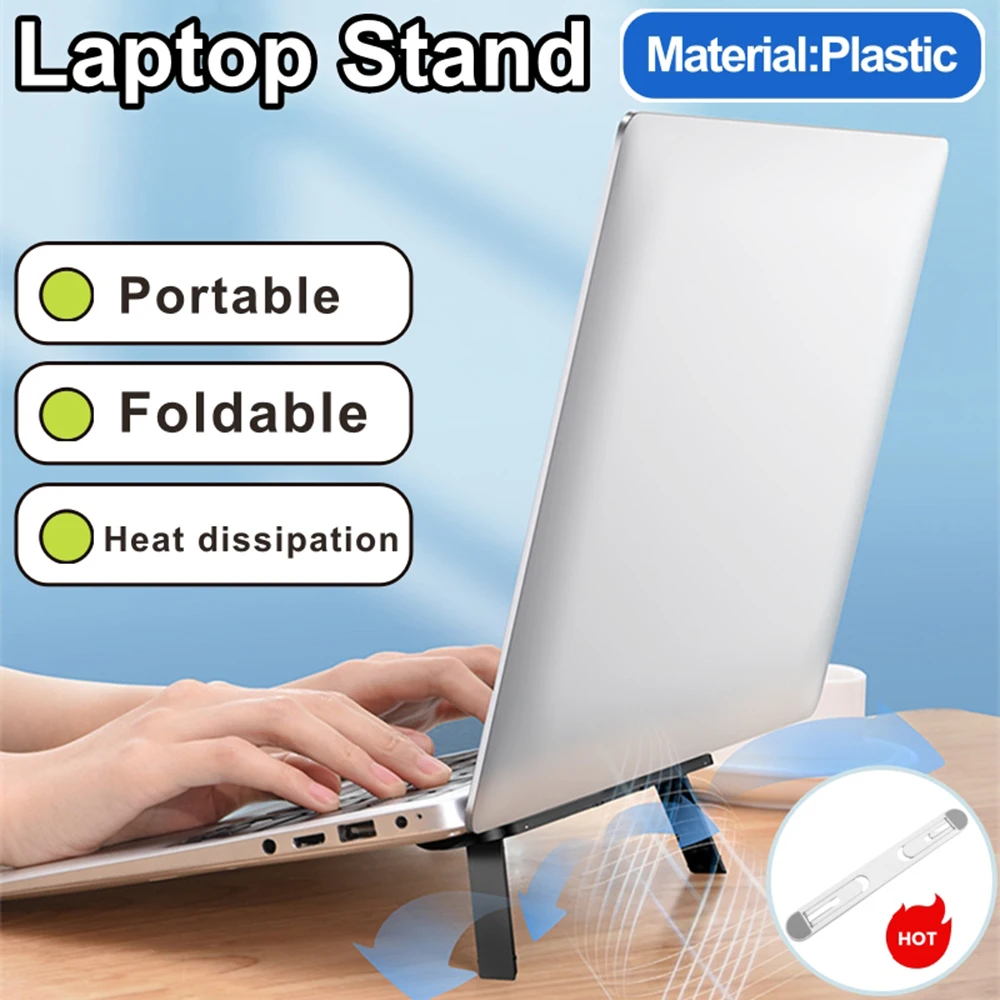
This listing presents a self-adhesive folding support for laptops and tablets. Adhesive mounting changes the decision: the support must match the device base, avoid vents and feet, remain stable under typing, and remove without damaging the finish.

The single AliExpress listing below is one example of this tool type, not a best pick or a hands-on recommendation. Use it only as a reference, and verify the current specifications, compatibility, recent reviews, shipping, returns, and price yourself.
Skip the product if: you need a large ergonomic lift, the laptop base has no safe mounting area, or the support makes the built-in keyboard uncomfortable.
Checks Before You Order
A thin riser succeeds or fails on contact area and geometry, not on how compact it looks in a photo.
- Laptop dimensions: Check that both supports land on flat, strong areas of the base.
- Vent clearance: No support or adhesive pad should cover an intake or exhaust opening.
- Lift angle: A small angle should improve viewing without causing the laptop to slide.
- Adhesive removal: Look for guidance about residue, replacement adhesive, and compatible finishes.
- Typing stability: Recent reviews should show whether the supports flex or rock under normal key presses.
Do not attach the supports until their positions have been tested with removable markers and every vent remains open.
Common Setup Mistakes
- Choosing height by appearance. A dramatic angle can create wrist strain.
- Covering a vent. Compact supports still need a safe mounting map.
- Ignoring laptop weight. A thin hinge may flex under a heavier computer.
- Attaching before measuring. Adhesive placement is harder to correct later.
- Expecting a full desk stand. A portable riser offers a small lift, not a complete ergonomic workstation.
Quick Questions
When is a portable laptop riser worth adding?
It is useful when a modest tested lift works well and you carry the laptop between locations.
Who should skip adhesive laptop supports?
Skip them when vents, curved surfaces, finish concerns, or heavy typing leave no safe stable mounting position.
Do I need an external keyboard with a laptop riser?
Not always. A slight rear lift may remain comfortable, but a high screen position usually works better with separate input devices.
Affiliate Disclosure
This article includes one affiliate listing as an optional example. GadgetPickLab may earn a commission at no extra cost if you buy through the link. Check device fit and ventilation before attaching any support.